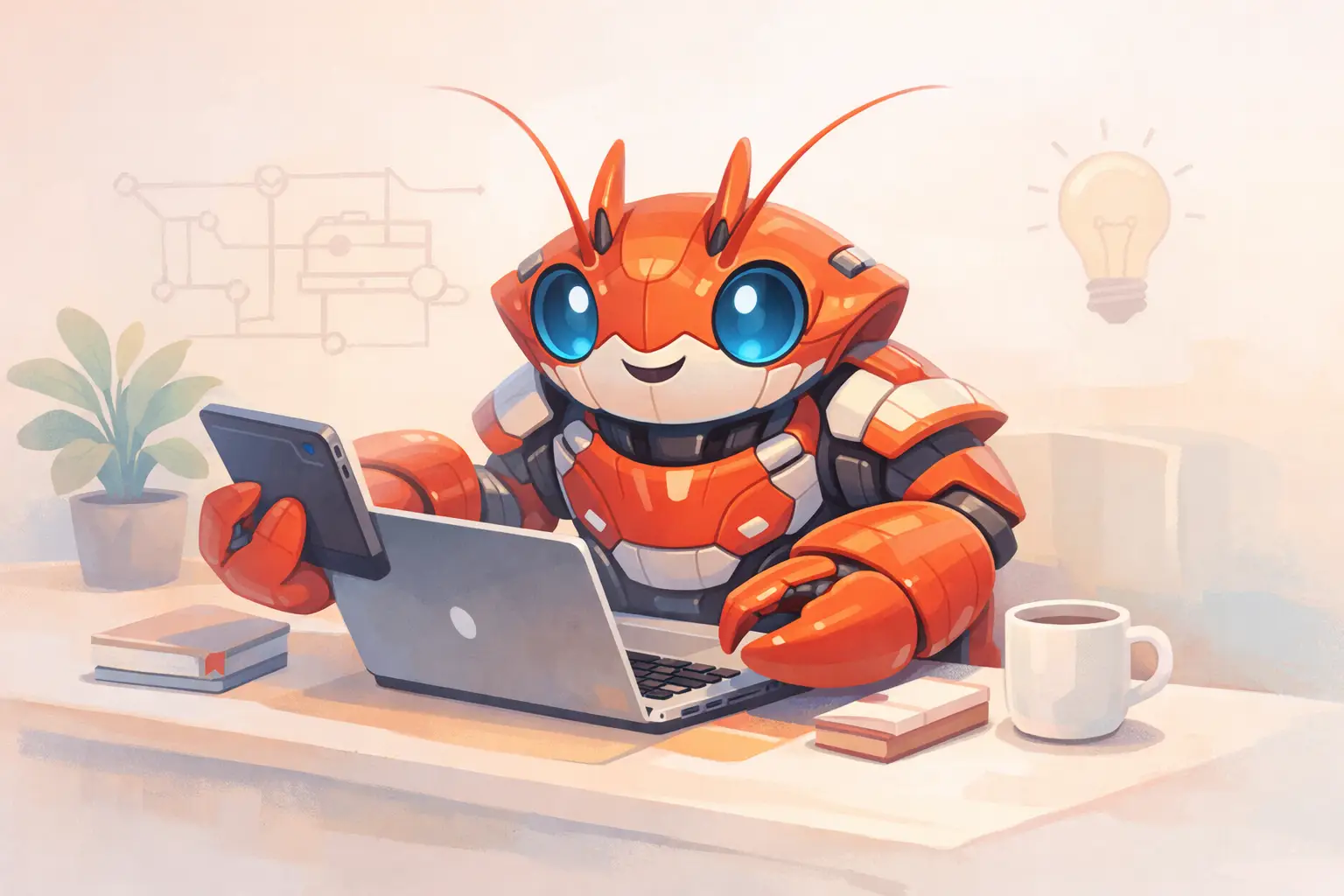
ClawdBot Hype EXPOSED: AI Lobster Revolution for Non-Techies!

Table of Contents
- Introduction
- Meet ClawdBot: The AI Lobster
- The Four Pillars of ClawdBot
- Why Non-Techies Love ClawdBot
- Pros and Cons: The Real Deal
- Getting Started: A Beginner-Friendly Guide
- Real-Life Use Cases
- Setting Up a Dedicated Environment
- Customization and Future Growth
- Frequently Asked Questions (FAQs)
Introduction
In today's era of rapid digital transformation, it comes as no surprise that artificial intelligence is making strong inroads into our daily lives. Yet many self-hosted tools remain daunting for users without a tech background. Enter ClawdBot, an open-source AI assistant that has taken the non-techie community by storm. Imagine having a smart digital friend who operates from right within your ordinary chat apps and helps you manage tasks, set reminders, and even answer queries on the fly. In this article, we will explore the various facets behind the hype of ClawdBot – the friendly AI lobster that is set to revolutionize personal assistance.
ClawdBot is much more than your run-of-the-mill virtual assistant. Developed by Peter Steinberger (@steipete) and unveiled in late 2025, this digital marvel is now shining brightly with the backing of thousands of GitHub stars and rave reviews on platforms like Reddit, X, and YouTube. Its uniqueness lies in its simplicity and the way it bridges the gap between sophisticated AI models and everyday usability for non-tech-savvy users.
The following sections will take you on a journey through the key components of ClawdBot, it’s working mechanisms, the pros and cons, and real-life examples that highlight its compelling features. Whether you are a busy parent, an entrepreneur, or simply someone curious about AI, this comprehensive guide is designed to shed light on how ClawdBot can simplify your digital life.
Meet ClawdBot: The AI Lobster
ClawdBot has earned its playful lobster moniker due to its quirky and memorable appearance, as well as the fun symbolism of a crustacean stepping out of its shell. But how does this lobster-like assistant differ from mainstream solutions like Siri or Alexa?
What Sets ClawdBot Apart?
- Local Operation: Unlike cloud-reliant assistants, ClawdBot is designed to run on your personal computer, VPS, or even a Raspberry Pi. This means your data stays where you want it to be.
- Cross-Platform Integration: ClawdBot is compatible with WhatsApp, Telegram, Discord, Signal, iMessage, and Slack. No need to download multiple apps or log into different accounts.
- Community-Driven: As an open-source platform, anyone can contribute and customize ClawdBot, making it adaptable to a wide range of use cases.
- Proactive Assistance: It does not only wait for your command; it proactively provides morning briefings, reminders, and suggestions before you even ask.
In a nutshell, ClawdBot brings the charm of a personal assistant, but with a back-end architecture that keeps control in your hands. It is perfect for non-techies because the setup is streamlined via simple command-line instructions and a guided onboarding process that demystifies the entire experience.
The Four Pillars of ClawdBot
At the heart of ClawdBot lie four essential components that work together to deliver an efficient and user-friendly AI experience. Understanding these parts offers insight into why ClawdBot is revolutionizing personal assistance for non-techies.
1. Gateway
The Gateway is the operational hub that constantly listens to your chat apps. It connects your favorite messaging platforms, ensuring that you receive automated updates, reminders, and news summaries. Operating from a Mac, Linux server, or a low-cost VPS, the Gateway ensures your assistant is always ready to deliver timely information.
2. Agent
The Agent is the thinking core of ClawdBot. It is powered by various robust AI models such as Claude (from Anthropic), GPT, Gemini, or even free local models via Ollama. The Agent's primary role is to process your commands, recall previous interactions, and determine the next steps in managing your tasks. Essentially, the Agent adds a layer of intelligence that makes ClawdBot feel like an attentive and smart friend.
3. Skills
Skills are the ready-to-use tools embedded within ClawdBot. These range from checking your email, managing your calendar, organizing files, to controlling your web browser. What makes Skills particularly appealing is their modularity. Developers and everyday users alike can craft custom skills, meaning the system can continually evolve and adapt to various needs – from booking a flight to mixing your playlist for a party.
4. Memory
One of the most innovative features of ClawdBot is its handling of Memory. Everything is stored locally in simple Markdown files. This method not only prevents your data from being shared with third parties but also builds a highly personalized digital memory, recalling preferences and past interactions with impressive accuracy.
Below is an illustrative table summarizing the four pillars:
| Component | Functionality | Significance for Non-Techies |
|---|---|---|
| Gateway | Connects chat apps and schedules updates | Always available and user-friendly |
| Agent | Processes commands and recalls context | Makes interactions feel natural and intelligent |
| Skills | Provides tools for specific tasks | Customizable to personal requirements |
| Memory | Stores data locally in Markdown files | Maintains privacy and builds personalized insights |
Together, these components form the backbone of ClawdBot, ensuring that even non-tech professionals can set up, use, and benefit from advanced AI functionalities without requiring deep technical know-how.
Why Non-Techies Love ClawdBot
Non-tech enthusiasts flock to ClawdBot for several compelling reasons. Its design philosophy centers on simplicity while still harnessing the power of cutting-edge AI technology. Here are a few aspects that resonate with everyday users:
Simplicity in Setup
For many non-techies, the idea of installing and running a self-hosted AI might sound daunting. ClawdBot changes that narrative. With a one-line installation command and a guided onboarding process, users can have the assistant up and running in less than fifteen minutes. The commands and prompts are straightforward, ensuring users do not get bogged down in technical details.
Cross-Device Compatibility
The reliance on familiar chat apps means users can interact with ClawdBot on platforms they already use daily. Whether on a smartphone or laptop, there is no need to navigate a new UI. Instead, you simply send a message: “Good morning,” and ClawdBot responds with a daily briefing, updates, and agenda reminders.
Privacy and Control
Unlike other assistants that store data on remote servers owned by tech giants, ClawdBot operates locally. This means your emails, files, and conversations remain under your control. The emphasis on local memory storage reassures users that their privacy is taken seriously.
Proactive Assistance
ClawdBot does not merely respond to requests; it anticipates needs. For instance, if you often ask for weather updates or calendar reminders, ClawdBot can start sending that information automatically. Many users have commented on how this feature has made their lives significantly smoother, as the assistant seems to know what is needed even before a prompt is sent.
Community and Customization
As an open-source project, ClawdBot benefits from a community-driven approach. Users contribute new features, share troubleshooting tips, and create custom skills. This collaborative environment means that the assistant continuously evolves to meet user needs. For non-techies, this means that the tool rarely feels outdated and remains relevant as new challenges arise.
- Use Case Example: A small business owner uses ClawdBot to manage emails, schedule appointments, and even remind them of important deadlines. This proactive approach saves time and reduces the overwhelming feeling of juggling multiple tasks.
The combination of ease of use, privacy, and a rich feature set makes ClawdBot highly appealing for those unfamiliar with more technical AI setups. Its charm lies in blending advanced technology with daily practicality.
Pros and Cons: The Real Deal
Every technology comes with its set of advantages and limitations. ClawdBot is no exception. Let's review the key benefits alongside the drawbacks to offer a balanced perspective.
Pros
- Ease of Use: The installation and onboarding processes are simplified for individuals with little to no technical background.
- Local Data Control: All data remains on your device, ensuring strong privacy protections and a reduced risk of misuse.
- Cost-Effective: Available for free as open-source software, with options to run on an inexpensive VPS or even a Raspberry Pi.
- Customization and Flexibility: The Skill system allows for extensive customization. Users can add, remove, or modify functions based on their specific needs.
- Proactive Reminders: ClawdBot is designed to anticipate tasks, which many users compare to having a personal digital butler.
- Cross-Platform Functionality: Runs on multiple operating systems including Mac, Linux, and Windows (via WSL2).
Cons
- Initial Setup Challenges: Despite guided setups, the command-line installation might intimidate absolute beginners, particularly on platforms like Windows without WSL.
- Continuous Running Requirement: To remain effective, ClawdBot must run continuously. This can potentially be taxing on hardware that isn’t designed for 24/7 operation.
- Resource Demands: While efficient, certain tasks—especially those invoking browser automation—can be resource intensive.
- Security Considerations: Given its ability to interact with system files and execute commands, improper configuration or a breach could pose risks. Users must take care to sandbox sensitive permissions.
- Learning Curve for Advanced Customization: While basic functions are user-friendly, those wanting more advanced customizations may find the learning curve steep.
Below is a comparative table summarizing these pros and cons:
| Pros | Cons |
|---|---|
| Simple setup for non-techies | Command-line may intimidate beginners |
| Local data control ensures privacy | 24/7 running may be stressful for older devices |
| Free and cost-effective | Resource usage may spike during heavy tasks |
| Highly customizable | Requires careful configuration for security |
| Proactive assistance saves time | Advanced features have a steeper learning curve |
| Cross-platform compatibility | Occasional system-specific quirks |
By weighing these advantages against the limitations, non-techies can determine whether ClawdBot fits their specific needs. Overall, its strengths seem to cover many common pain points encountered with voice assistants and cloud-based AI.
Getting Started: A Beginner-Friendly Guide
For non-tech enthusiasts curious about experimenting with ClawdBot, the journey begins with a few straightforward steps. Here we guide you from installation to day-to-day usage.
Step 1: Installation
- Open your terminal on Mac or Linux. Windows users are advised to use WSL2.
- Run the following command to install ClawdBot:
- curl -fsSL https://clawd.bot/install.sh | bash
- The script will download necessary dependencies such as Node.js and set up the required files.
- Follow any on-screen prompts. If errors occur, tools like
clawdbot doctorcan help diagnose issues.
Step 2: Onboarding
Once the installation is complete, execute:
- clawdbot onboard
This command launches a friendly wizard that will ask you a few simple questions: - Choose an AI model: Options include free local models or a paid version like Claude Pro.
- Connect your preferred chat apps (scanning a QR code for WhatsApp or Telegram).
- Set up your workspace folder where all your memories and logs will be saved.
This interactive session is designed to be easy and understandable. Even someone new to command-line interfaces can complete it without feeling overwhelmed.
Step 3: Testing ClawdBot
After onboarding, try a few basic commands to see ClawdBot in action:
- Send a message saying "Morning briefing" on your default connected messaging app.
- Ask it to check your schedule or email summary.
- Experiment with simple commands like "Book flight to New York" to test out its proactive abilities.
Helpful Commands and Tools
In case you need assistance while setting up or using ClawdBot, the following commands can be handy:
- clawdbot status --all : Displays the current running status and any issues.
- clawdbot doctor : Checks the environment and setup.
- clawdbot help : Lists available commands and usage instructions.
The simplicity of these steps is what makes ClawdBot remarkably accessible, even to users who have never before installed open-source software.
Real-Life Use Cases
The true measure of any assistant lies in its practical applications. Let us explore how diverse users have integrated ClawdBot into their daily routines.
Busy Professionals
For individuals managing multiple tasks at work, ClawdBot can:
- Organize emails and prioritize important messages.
- Schedule and remind about meetings with timely alerts.
- Automate administrative tasks, saving valuable time.
- Manage shared resources through team collaboration, acting almost like a digital employee that never sleeps.
Home and Family Life
Imagine a busy parent who juggles work and family responsibilities:
- ClawdBot can send daily weather updates and traffic notifications.
- It helps coordinate family schedules by reminding everyone of appointment times.
- Recipes and grocery lists can be managed digitally.
- With proactive reminders, it ensures that important tasks (like booking a doctor’s appointment) are not forgotten.
Tech Enthusiasts and Hobbyists
For those who love to tinker:
- The ability to add custom Skills opens new avenues. For instance, you can build a Skill to automatically update your blog, manage local files, or even control smart home devices.
- Experiment with browser control to automate mundane internet tasks.
- Use ClawdBot as a testing ground for new AI models or integration projects.
Entrepreneurial Ventures
For small business owners:
- Automate customer outreach and email responses.
- Use advanced customizations to schedule social media posts using integrated chat platforms.
- Manage day-to-day operations with reminders, task prioritizations, and even generate reports.
Below is a table summarizing these use cases:
| User Type | ClawdBot Application |
|---|---|
| Busy Professionals | Email organization, meeting reminders, task automation |
| Parents & Families | Daily briefs, scheduling coordination, grocery lists |
| Tech Hobbyists | Custom Skill development, browser automation, file management |
| Entrepreneurs | Customer email automation, social media scheduling, reporting |
Each of these examples highlights ClawdBot’s adaptability to various work and personal environments. The key strength lies in its flexibility to serve as a general-purpose assistant that fits into your life seamlessly.
Setting Up a Dedicated Environment
While you can run ClawdBot on your everyday laptop, many users opt for dedicated hardware to ensure it remains available 24/7. Let’s explore the options.
Use a Low-Cost VPS
Many non-techies appreciate the option to run ClawdBot on a low-cost Linux VPS. Providers like Hetzner, AWS Lightsail, or DigitalOcean offer plans that cost as little as $5 per month. The benefits include:
- Always-on performance even when your personal computer is turned off.
- Scalable resources if your usage increases.
- The satisfaction of knowing your assistant is reliably active at all times.
Raspberry Pi as a Home Server
For those who enjoy a bit of tinkering:
- A Raspberry Pi (with a minimum of 512MB RAM, though 2GB is recommended) can serve as an excellent host.
- It provides a practical, fun, and cost-effective way to run ClawdBot.
- Installation and configuration will be similar, but you may need to account for ARM-specific issues. Thankfully, the ClawdBot community offers plenty of guidance on these setups.
Dedicated Mac or Windows with WSL
- Mac users can install ClawdBot directly on their laptops or benefit from the always-on nature of a Mac Mini.
- Windows enthusiasts can utilize the Windows Subsystem for Linux (WSL2) to replicate a Linux environment, ensuring compatibility with the standard installation procedures.
The success stories of those who have set up dedicated environments are numerous. For example, one user reported that a Raspberry Pi set up in their living room never misses a morning briefing, even when the power is out for short periods. Such setups exemplify a perfect blend of low-cost hardware and high-tech AI capability.
Customization and Future Growth
One of the hallmarks of ClawdBot is its rich potential for customization. Let us dig a little deeper into how you can make the AI work uniquely for you and what the future might hold.
Skill Development and Customization
ClawdBot’s modular nature means developers can add new Skills to respond to very specific requirements. If you find that the default set does not meet your needs, consider the following:
- Creating Custom Skills: With a few lines of code, you can expand ClawdBot’s functionality. For instance, build a custom Skill to manage your local photo library or create a daily motivational message.
- Community Contributions: The open-source environment ensures that as more people contribute, a vast repository of Skills becomes available. This means constant improvements and the addition of new features.
- Simple Integration: Whether you need the assistant to interact with your browser, email service, or other applications, integration is straightforward. The community wiki and detailed documentation on docs.clawd offer step-by-step guides.
Anticipated Updates and Roadmap
The developers behind ClawdBot are continually working to improve the system. Look out for:
- Enhanced Security Features: Future updates are expected to include more robust sandboxing features, giving users greater control over permissions.
- Expanded Chat App Support: Further integration with additional messaging platforms is on the horizon.
- Improved Performance: As AI models get refined and more efficient, ClawdBot will likely become faster and consume fewer resources.
- User Interface Enhancements: Though the current command-line interaction is functional, planned updates include GUIs or simple status dashboards that make monitoring easier for all users.
The Future of AI Personal Assistance
ClawdBot is not just another AI. Its emphasis on local control and proactive assistance hints at future developments in personal computing. Imagine AI that learns over time, anticipates your needs even more accurately, and personalizes responses based on long-term habits. As the technology evolves, non-tech users will find themselves empowered with tools that adapt to ever-changing daily routines.
The open-source foundation of ClawdBot is a promise that the assistant is here to stay – evolving, learning, and improving in response to user feedback. It reflects a trend towards decentralization and user-driven technology, where community contributions shape the future rather than a single corporation’s roadmap.
Conclusion
ClawdBot represents a significant leap in the way AI can assist everyday users. It brings together the best of modern artificial intelligence and user-friendly design while ensuring privacy and local control. Whether you are a busy professional juggling deadlines, a parent coordinating family tasks, or a tech enthusiast eager to experiment with sophisticated functionalities, ClawdBot is a tool that adapts to your lifestyle.
By understanding its four primary components – Gateway, Agent, Skills, and Memory – we appreciate how it transforms complex AI backends into a simple, interactive experience. With proactive support and constant community-driven improvements, ClawdBot is more than technology; it is a dedicated ally in managing the digital aspects of modern life.
The journey from installation to full utilization might involve a few adjustments, but the perceived gains in convenience and efficiency make it worthwhile. And as the world continues to evolve with artificial intelligence at its core, solutions like ClawdBot are carving a new path that prioritizes control, customization, and a personal touch.
In a landscape dominated by generic cloud assistants, ClawdBot stands out as both a technological marvel and an accessible, friendly helper. Its open-source nature ensures that the future remains bright, with endless possibilities for expansion, integration, and improved personalization.
If you are intrigued by the idea of an AI lobster revolution that’s tailored for the non-tech-savvy, consider giving ClawdBot a try. The hours you save and the tasks you automate might just transform your routine into a seamless, digitally assisted experience.
By now, I hope this detailed exploration has shed light on why ClawdBot is the talk of the town among non-techies and everyday users alike. The blend of straightforward onboarding, local data handling, and dynamic proactive assistance positions it as a promising alternative to conventional virtual assistants. Whether you decide to set it up on a VPS, a Raspberry Pi, or your home computer, ClawdBot brings the future of AI personal assistance right to your fingertips.
Remember, the key to a successful digital experience is not just the technology itself, but how it fits into your life. ClawdBot is designed with flexibility and accessibility in mind – no matter your technical background. Its ongoing evolution, backed by an enthusiastic community, promises exciting updates and even more personalized functionalities. Embrace the change and let this AI lobster help you navigate the complexities of daily life.
Happy automating!