AI Automation ROI: 2-3 Revenue Flows Beat Another Subscription

Table of Contents
- Introduction
- Why does stacking AI subscriptions fail for ai automation for small business?
- What does your team as the integration layer mean for business process automation ai?
- Which two or three automations should you prioritize for ai automation roi?
- How does lead follow-up automation lift revenue without a new CRM?
- How can quote-to-cash business process automation ai shorten your sales cycle?
- Why is support triage a high-ROI play for business process automation ai?
- How do you measure ai automation roi in weeks instead of years?
- Can you build business process automation ai on the tools you already own?
- What governance and human-in-the-loop rules keep small business automations safe?
- When should you DIY versus book a 45-minute AI roadmap call?
- How do ranked priorities beat buying another AI subscription?
- Frequently Asked Questions (FAQs)
Introduction
Most small businesses are already paying for more AI than they use. ChatGPT seats, Copilot add-ons, an "AI assistant" inside the CRM, and half-finished Zapier flows sit side by side while revenue metrics barely move. The gap is not model quality. It is architecture.
Ai automation for small business works when you treat AI as a component inside workflows you already run-not as another tab your team must remember. You do not need another subscription. You need two or three automations tied to how money enters and stays in the business, plus a ranked plan for what to build next. That is the same lens I use on roadmap calls: find where leads stall and hours disappear, name the tools, then wire AI into the stack you already pay for.
This article walks through why subscription stacking fails, how your team becomes the integration layer, which three revenue flows to automate first, and how to prove ai automation roi before you buy anything else.
Why does stacking AI subscriptions fail for ai automation for small business?
Buying seats feels productive because adoption is visible. Someone drafts a better email, summarizes a call, or rewrites a proposal. Those are real gains, but they are productivity, not business process automation ai. The underlying process-how leads are captured, how quotes go out, how support is routed-stays manual. People copy from the CRM to an AI tool to email and back. Activity goes up; conversion and cash velocity often do not.
Three patterns explain the stall. First, each tool lives in its own silo, so nobody owns the end-to-end flow. Second, overlapping products ("AI outreach," "AI meeting notes," "AI CRM") fragment data and trust. Third, seat-based pricing trains you to ask who gets access instead of which event should trigger the next action automatically.
Subscriptions also hide the real cost: coordination tax. Every handoff your team does by hand is a leak in ai automation roi, even if every individual writes faster with Copilot. Until AI sits on triggers inside your CRM, forms, inbox, and billing stack, you are subsidizing demos, not revenue.
What does your team as the integration layer mean for business process automation ai?
Your CRM, email, website forms, billing tool, and help desk already define how work moves. Business process automation ai should connect those systems, not replace them with a new "AI platform" login.
Think in events, not apps:
- A form submission, new deal stage, or inbound email is the trigger.
- An AI model reads, classifies, or drafts in the background.
- Your existing tools execute the outcome-create the record, send the message, move the pipeline, open the invoice-often after a human approves sensitive steps.
In that design, your team is the integration layer. They set rules, review drafts, and adjust priorities. They do not live inside yet another SaaS seat. Intelligence is embedded in processes they already run daily. That matches how I work with clients: ranked priorities, named tools, optional build-not a generic "AI transformation" deck.
Which two or three automations should you prioritize for ai automation roi?
Ai automation roi comes from touching levers you can measure: qualified pipeline, win rate, time-to-cash, churn, and expansion. Walk your customer journey from first touch to repeat purchase and mark steps that are repetitive, slow, or judgment-heavy (read, write, classify). For most small businesses, three patterns consistently pay back first:
- Lead capture and follow-up - speed and consistency on inbound interest.
- Quote-to-cash - proposals, signatures, invoicing, and payment nudges without manual glue.
- Support triage - route, draft, and escalate tickets before relationships fray.
Resist the tenth "AI feature" until these three either run reliably or you have proof they are not your bottleneck. Two well-owned flows beat seven pilots.
How does lead follow-up automation lift revenue without a new CRM?
Speed matters. Leads answered in minutes convert at far higher rates than leads answered hours later-yet many teams still lose inquiries in shared inboxes or DMs. You do not need an AI-native CRM to fix that.
A practical ai automation for small business flow:
- A prospect submits a form, emails hello@, or replies to an ad.
- Your workflow or CRM trigger fires.
- AI extracts company, need, budget signals, and urgency; scores or segments against your rules.
- The system drafts a tailored reply (thank-you, one clarifying question, booking link) and either sends for lower-tier leads or lands in a rep's drafts for high-value ones.
- The CRM record, conversation log, and nurture sequence update without retyping.
Customers experience a responsive business after hours. Your team shows up to qualified context, not a blank screen. If even a slice of leads currently slip or get slow replies, this single automation can fund the rest of your program.
How can quote-to-cash business process automation ai shorten your sales cycle?
Revenue dies in the gap between "yes, we want it" and "payment received." Quotes, approvals, contracts, invoices, and reminders are necessary but repetitive-and delays feel like disorganization to buyers.
Business process automation ai on quote-to-cash often looks like this: after a discovery call, the rep drops short notes in the CRM. Automation sends those notes plus your pricing rules and templates to a model. It returns a structured quote-proposal scope, line items, timelines, standard terms. A human edits and approves. The system pushes the document through your e-sign tool, updates the deal stage, creates the invoice, and sends onboarding mail. If payment stalls, AI drafts polite, context-aware reminders instead of generic dunning.
AI does the reading and drafting; your CRM and accounting tools remain the system of record. Cycle time drops because proposals and invoices stop waiting on someone to copy fields between systems. Cash becomes more predictable because follow-up is systematic.
Why is support triage a high-ROI play for business process automation ai?
Support is often labeled a cost center, but it directly affects retention and upsell. AI excels at reading and categorizing messy text, which makes triage a strong third automation.
Incoming tickets can be classified (billing, bug, onboarding), prioritized by sentiment or SLA risk, and matched to macros or knowledge-base answers. Draft replies accelerate agents; humans approve anything that commits money or policy. Escalations to sales or success can fire when the model spots expansion language ("need more seats," "renewal question").
You protect relationships faster and surface revenue signals that used to stay buried in threads. That is business process automation ai with a clear line to churn reduction and expansion-not chatbot theater on the marketing site.
How do you measure ai automation roi in weeks instead of years?
Enterprise transformation timelines do not fit a ten-person company. Run automations as experiments with baselines:
| Metric | Example baseline | 6-12 week target |
|---|---|---|
| Lead response time | Median hours to first reply | Under 15 minutes for tier-A leads |
| Quote turnaround | Days from verbal yes to sent proposal | Same day for standard SKUs |
| Support first response | Hours on priority queue | Under 1 hour on business days |
| Cash lag | Days from signed deal to paid invoice | Shorter, with automated reminders |
Pick one primary number per automation before you build. Instrument it in the CRM or help desk you already use. Review weekly for four to six weeks. If the metric moves and errors stay low, promote the flow from pilot to standard. If not, adjust prompts, boundaries, or sunset the flow-you have not burned a year on a platform bet.
That discipline is how ai automation roi becomes a budget conversation instead of a faith exercise in "AI adoption."
Can you build business process automation ai on the tools you already own?
You rarely need an AI-first monolith. Most stacks already expose enough hooks:
- Triggers - new CRM contact, form submit, inbound email, new ticket.
- AI step - HTTP call or native AI action with instructions and structured output.
- Actions - update fields, send email, create tasks, change deal stage, create invoice.
A lead workflow might live entirely inside HubSpot or Pipedrive plus one model call-no new front end, no extra login. Workflow engines like n8n help when steps cross vendors or need versioning, retries, and logs in one place. The pattern is the same: orchestrate what you own; add AI where reading and writing eat hours.
Budgets stay sane, change management shrinks, and staff keep working in familiar systems-just with less copy-paste.
What governance and human-in-the-loop rules keep small business automations safe?
Automation that sends the wrong email or mishandles data can erase efficiency gains overnight. Lightweight governance is enough if you are explicit:
- Data boundaries - know what may flow through external models; treat health, financial, or highly regulated fields with extra care or exclusion.
- Graduated autonomy - start with human approval on pricing, refunds, cancellations, and anything legally binding; expand auto-send only when error rates stay low.
- Logging - retain which steps were AI-generated, with prompts and outputs for debugging and accountability.
- One-page policy - who may enable flows, how staff review drafts, and what never gets pasted into public chat tools.
Human-in-the-loop is not a bottleneck. It is how you keep judgment and relationships central while AI handles grunt reading, classification, and first drafts.
When should you DIY versus book a 45-minute AI roadmap call?
DIY fits when processes are straightforward, your tools have decent APIs, someone on the team likes no-code or light scripting, and a day of downtime is annoying-not existential.
Outside help fits when flows cross many systems (or custom internal apps), regulation is strict, DIY attempts are brittle, or you need ranked priorities more than another tutorial.
A focused 45-minute AI roadmap call should leave you with a customer-journey map, a short list of automation candidates, a rank by revenue impact versus effort, two or three chosen builds with success metrics, and clarity on whether your current stack is enough. You stop chasing subscriptions and start executing a backlog. If DIY covers most of it, you proceed with periodic check-ins; if integrations are deep, you scope build work with numbers already defined.
How do ranked priorities beat buying another AI subscription?
Technology should follow priorities, not define them. Before any new checkout, ask:
- What revenue leaks cost us deals, delay cash, or burn expert time right now?
- Can those leaks be fixed with tools we already pay for, plus AI as a step?
- What would success look like in the next six to twelve weeks-concrete, owned, measurable?
Only then evaluate vendors against specific needs: CRM integration, custom prompts, approval gates-not vague "AI-powered transformation."
The payoff is doing less, better: a few background flows on your existing stack, humans in the loop where it matters, and ai automation roi you can report in a monthly standup. Your team stops riding the hype cycle and acts as the integration layer that decides what gets automated, why, and in what order. That shift-from buying AI as a product to using it as workflow infrastructure-is where durable returns live.
If you want help ranking your first two or three flows against the tools you already use, book a 45-minute roadmap call-you will leave with a prioritized plan, not another subscription pitch.
Frequently asked questions
Quick answers on the topics covered in this article.
No. Most teams already have models via Copilot, ChatGPT, or CRM add-ons. Start with two or three workflows tied to revenue-lead follow-up, quote-to-cash, or support triage-wired into CRM, email, and billing you already pay for.
It is measurable movement on metrics that affect revenue: faster lead response, shorter quote cycles, fewer dropped follow-ups, quicker support first replies, or reduced cash lag. Pick one primary metric per automation and review it for six to twelve weeks.
It means AI is one step in a cross-system workflow: a trigger in your CRM or help desk, a model that reads or drafts, then an action back in your existing tools-often with human approval on high-risk steps.
Because they define rules, approve outputs, and connect systems instead of living in a new AI app. AI runs behind triggers in processes they already use; people stay accountable for judgment and relationships.
Prioritize lead follow-up, quote-to-cash, and support triage unless data shows a different bottleneck. These touch pipeline, cash collection, and retention-the levers most small businesses can measure quickly.
Yes. Use baselines from your CRM or help desk (median response time, days to send a quote, tickets past SLA). Set a six-to-twelve-week target, track weekly, and promote or fix the flow based on results.
Not always. Simple flows can live in native CRM automation plus an AI API call. Use a workflow engine when you cross many vendors, need robust logging and retries, or outgrow brittle one-off zaps.
Require human approval on pricing, refunds, legal commitments, and anything customer-facing until error rates are low. Log AI-generated steps and restrict sensitive data from public model chats.
Book when processes span complex systems, compliance is strict, DIY builds keep breaking, or you need a ranked backlog more than another tool trial. A 45-minute session should yield prioritized automations and clear next steps.
Seat-based AI helps individuals write faster; it does not automatically coordinate your revenue process. Workflow automation embeds AI on events (new lead, signed deal, new ticket) so outcomes happen without constant copy-paste.
Share this article
Related workflows
Daily Validated Business Ideas using n8n and Upwork
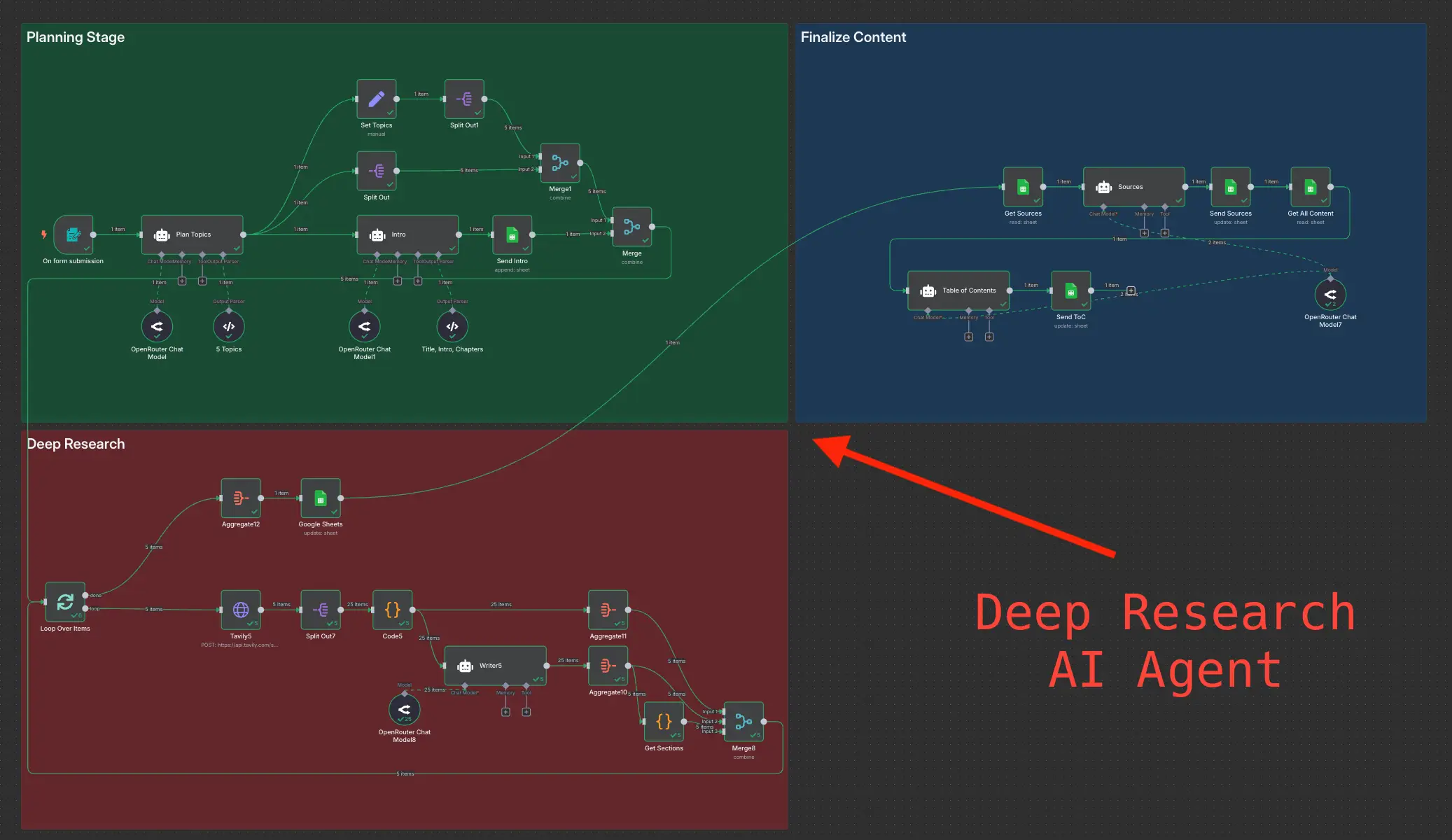
Deep Research using n8n automation to generate report using Tavily