Why is manual invoice data entry still such a pain?
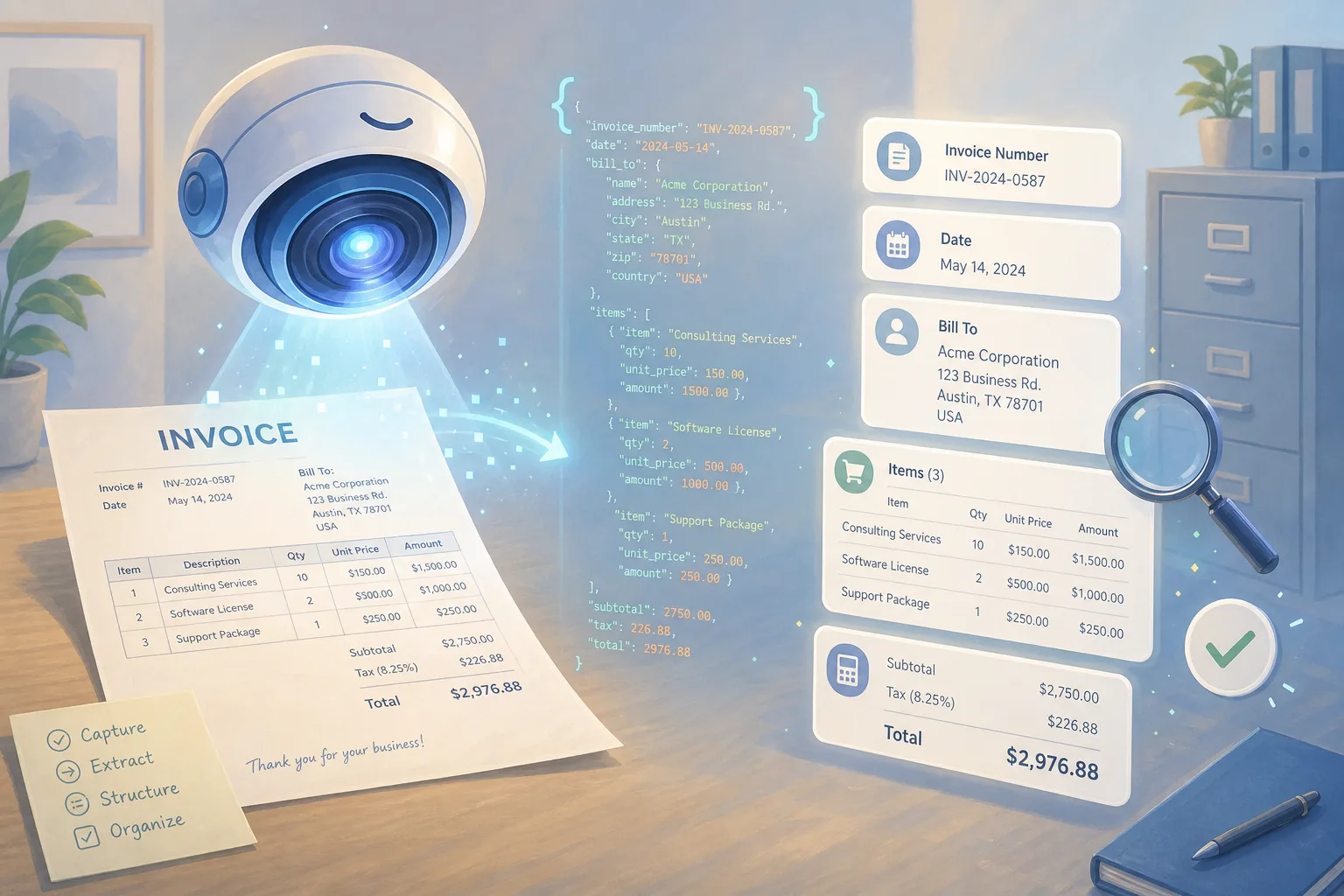

Table of Contents
- Introduction
- Why is manual invoice data entry still such a pain?
- What does Claude Fable 5 bring to document extraction?
- How does Claude Fable 5 vision turn PDFs into structured JSON?
- How do I design a reliable invoice extraction schema and prompt?
- How do confidence scores and human-in-the-loop review gates work?
- What guardrails keep Fable 5 invoice extraction safe?
- When should you not use a frontier model like Fable 5?
- What does an end-to-end invoice extraction workflow look like?
- How do I roll out Fable 5 document extraction in production?
- Frequently Asked Questions (FAQs)
Introduction
In most finance and operations teams, invoices show up faster than anyone can type them in. Receipts land in inboxes, supplier portals push PDFs, and the scanner spits out fuzzy multi-page bundles. Someone has to open each one, find the vendor name, the invoice number, the date, the line items, and the totals, then key all of it into the accounting system. It's slow, it's boring, and because people get tired, it's error-prone.
Older OCR tools and earlier language models helped, but they came with their own headaches. Template-based OCR breaks the moment a vendor changes their layout. Early models would hallucinate fields, drop line items on dense invoices, or confuse a shipping address with a billing one. You ended up with automation you couldn't fully trust, which meant double-checking everything anyway.
Claude Fable 5, Anthropic's newest broadly available frontier model, shifts that math. It launched on June 9, 2026 as a safety-hardened release in the Mythos class, with real gains in vision, document analysis, and long-context reasoning. For invoice and document work, that combination matters. This post walks through how to use Claude Fable 5 document extraction the right way: clean structured output, confidence handling, human review gates, sensible guardrails, and where a cheaper tool is still the smarter pick.
Why is manual invoice data entry still such a pain?
Accounts payable sits at the messy intersection of a lot of systems. Invoices come from email, supplier portals, and physical mail. They land as digital PDFs, phone photos, and scans of varying quality. A typical AP day looks like opening each document, locating the key fields, retyping them, itemizing the line items, reconciling totals, matching to a purchase order, and finally pushing everything into the ERP.
Traditional OCR was supposed to fix this, and for one stable vendor it often does. The problem is that OCR is usually template-based or layout-sensitive. A new supplier, a slightly redesigned invoice, or a smudged scan throws it off, and fields get misread or skipped. When teams reached for language models instead, they got flexibility but also new failure modes.
The recurring complaints with earlier models were consistent. They hallucinated fields that weren't on the page. They quietly skipped line items, especially on long, dense, multi-page invoices. And they misread context, mixing up PO numbers with invoice numbers or shipping details with billing details. In a financial setting, those mistakes aren't cosmetic. A wrong total or a missed line item can mean an incorrect payment, a failed audit, or hours of cleanup. To trust automation here, teams need extraction that's consistent, explainable, and honest about what it isn't sure of.
What does Claude Fable 5 bring to document extraction?
Anthropic positions Claude Fable 5 as its most capable generally available model, built on the same underlying technology as the unreleased Mythos 5 but hardened with extra safeguards for public use.
Anthropic positions Claude Fable 5 as its most capable generally available model, built on the same underlying technology as the unreleased Mythos 5 but hardened with extra safeguards for public use. A few of its upgrades line up almost perfectly with invoice and document workflows.
The first is stronger vision on messy images. Fable 5 is a state-of-the-art vision model, and reviewers have highlighted its ability to read dense technical figures, detailed screenshots, and complex layouts far more accurately than earlier Claude versions. It can pull precise numbers out of detailed charts and even reconstruct interfaces from a screenshot. Invoices are exactly this kind of visual mess: varied fonts, tight tables, logos, stamps, the occasional handwritten note, and imperfect scans. Anthropic's own guidance notes Fable 5 is trained to use built-in tools like crop to deal with flipped, blurry, or noisy images, which helps a lot on real-world documents.
The second is better document analysis. Fable 5 is tuned for knowledge work and enterprise tasks, including financial analysis and document-heavy jobs. For extraction, that means it doesn't just transcribe text, it reasons about meaning: telling vendor from customer, spotting payment terms, inferring tax breakdowns, and tying line items back to subtotals and totals.
The third is long-context reasoning. Fable 5 can stay focused across very long inputs, on the order of millions of tokens. You can feed a full multi-page invoice along with its purchase order and packing slip in one prompt, keep page-to-page alignment, and run cross-document checks in a single pass. For AP teams that process whole monthly vendor packets, that beats chunking page by page.
There's also a cost angle. Fable 5 is priced at roughly $10 per million input tokens and $50 per million output tokens, matching the Mythos 5 tier. That's not trivial at high volume, and it's a big reason you should be deliberate about when to use it, which we'll get to.
How does Claude Fable 5 vision turn PDFs into structured JSON?
The core loop is straightforward, even if the details are where the reliability lives. You send the invoice as a PDF or image (or a set of them) to the Claude API using Fable 5. Your prompt defines the output schema, usually a nested JSON structure that mirrors what your accounting or CRM system expects. Fable 5 reads the layout, text, and structure with its vision capabilities and returns structured JSON for the fields you asked for. Your application parses that JSON, runs validation checks, and then either auto-approves the document or routes it to a human review queue based on confidence and your business rules. Approved data syncs to your ERP, accounting, or CRM.
The mechanics are "just" prompt and response, but Fable 5's vision upgrades let that loop survive contact with real documents. It handles multiple input types: PDFs, JPGs and PNGs, and screenshots. It copes with unstructured or noisy layouts where fields aren't in predictable spots. It reads small fonts and dense tables of line items. And it tolerates real imaging problems like slightly blurry phone photos, rotated pages, or partial scans, helped by its training to crop and clean up images.
Because Fable 5 is also good at reasoning, you can ask it to infer relationships rather than copy text blindly. Questions like "which currency is this amount in?" or "which lines are taxable?" are fair game, and that's where it pulls ahead of plain OCR.
How do I design a reliable invoice extraction schema and prompt?
Before writing a single prompt, get specific about what you want out of each document. A good invoice schema usually has three layers: invoice-level fields, a line-items array, and meta fields for your own bookkeeping.
At the invoice level you'll typically want vendor name and address, invoice number, invoice date, due date, purchase order number, currency, payment terms, subtotal, tax amount, and total. The line-items array should capture description, quantity, unit price, line total, and per-line tax where it exists. The meta layer is where reliability comes from: a source document ID, an overall model confidence score, per-field confidence, and a place for comments or warnings.
Your prompt then needs to do a few things well. Define the schema explicitly with a precise JSON skeleton and short field descriptions. Tell the model to return valid JSON and nothing else, with no commentary in the main response. And actively discourage guessing: instruct it to set a field to null when the information is genuinely missing or ambiguous, rather than inventing a value. A clean starting schema looks like this.
{
  "vendor_name": null,
  "invoice_number": null,
  "invoice_date": null,
  "due_date": null,
  "purchase_order_number": null,
  "currency": null,
  "subtotal_amount": null,
  "tax_amount": null,
  "total_amount": null,
  "line_items": [
    {
      "description": null,
      "quantity": null,
      "unit_price": null,
      "line_total": null,
      "tax_rate": null
    }
  ],
  "meta": {
    "source_document_id": null,
    "model_confidence_overall": null,
    "field_confidence": {},
    "warnings": []
  }
}
Treat the schema and prompt like code. Version them in source control, refine field definitions as you learn your invoice mix, and add targeted instructions whenever you spot a recurring error, for example: "If there are multiple dates, prefer the one labeled Invoice Date over Delivery Date or Order Date." One more thing worth repeating from Anthropic's guidance: don't ask Fable 5 to dump its full internal reasoning. That can trigger refusals or a fallback to an older model. Keep instructions focused on inputs and outputs, and if you want explanations, keep them brief and high-level in a comments field.
How do confidence scores and human-in-the-loop review gates work?
The single biggest difference between a demo and a trustworthy system is how you handle uncertainty. You don't want the model silently confident about a number it actually guessed. So you ask for confidence, and you act on it.
Have Fable 5 return a per-field confidence score and an overall score in the meta block. Then layer in deterministic validation that doesn't rely on the model at all. Re-add the line items and check they equal the subtotal. Check that subtotal plus tax equals the total. Compare the vendor and bank details against your master data. Verify dates are sane and the currency is one you expect. These math and lookup checks catch a surprising share of extraction errors on their own.
From there, route documents by risk. Low-risk invoices with high confidence and clean validation can flow straight through to a pending-bill status in the ERP, never paid automatically, just staged. Medium-risk invoices go to an AP reviewer with only the uncertain fields flagged, so they're not re-checking the whole thing. High-risk ones, like large amounts, mismatched bank details, or totals that don't reconcile, escalate to a senior reviewer. The reviewer sees the original document, the extracted data, the confidence annotations, and any validation warnings side by side, then edits and approves or rejects. The point of the gate isn't to slow everyone down, it's to spend human attention only where the system is unsure or the stakes are high.
What guardrails keep Fable 5 invoice extraction safe?
Extraction touches money and sensitive data, so a few guardrails are non-negotiable.
First, keep the model out of the payment decision. Fable 5 can extract and even help categorize spend, but it should never be the thing that releases funds. Always require human approval for creating payment runs, changing vendor bank details, and approving invoices over a threshold or outside normal patterns. The model's job ends at data capture and enrichment, not financial authorization.
Second, maintain a complete audit trail. Store the original document, the exact prompt and model version used, the raw JSON Fable 5 returned, and every human edit and approval with timestamps and user IDs. When someone asks months later why an invoice was entered a certain way, you need to reconstruct the whole chain.
Third, protect the data. Invoices carry bank accounts, tax IDs, and personal information. Restrict who and what can send documents to the API, encrypt data in transit and at rest, and lock down access to both the extracted data and the source files with role-based permissions. Anthropic runs Fable 5 on its own secured infrastructure, but how data is handled before and after it reaches the model is on you.
Finally, don't demand internal reasoning. As mentioned, prompts that ask the model to reproduce its full chain-of-thought can cause refusals or quiet fallbacks. Keep it in its best operating mode by asking for outputs, not derivations.
When should you not use a frontier model like Fable 5?
Fable 5 is powerful, but power isn't free, and it isn't always the right first choice. There are clear cases where something cheaper or simpler wins.
If your invoices are highly standardized and low-complexity, a frontier model is overkill. Think one or two dominant vendors, fully digital PDFs with consistent layouts, and no tricky line items or cross-document dependencies. Tuned template-based OCR or a mid-tier vision model will be more cost-effective there, and Fable 5's reasoning adds little.
If you have extreme latency constraints, like sub-second responses in a user-facing app at high concurrency, a frontier model can introduce delays you can't accept. A common pattern is to pre-process with faster, cheaper models and reserve Fable 5 for exceptions and complex cases.
If you operate under data residency or on-prem-only rules, sending invoice data to an external cloud service may simply be off the table, even with encryption. And if you process only a handful of invoices a month on a tight budget, the integration overhead may not pay for itself; manual entry with basic OCR can be simpler.
The theme is the same throughout: reserve Fable 5 for the work where its strengths actually move the needle, which is accuracy on diverse, messy documents and reasoning across pages and documents.
What does an end-to-end invoice extraction workflow look like?
Here's how the pieces fit together in a real AP pipeline.
It starts with intake. Invoices arrive by email, supplier portal, and a mail scanner. An intake service downloads the files, normalizes formats and orientations, and uses a lightweight classifier to label each document: invoice, credit note, PO, or receipt.
Next comes engine selection. Based on vendor, document type, and quality, the system picks the cheapest tool that will do the job: a template or OCR pipeline for known clean formats, a cheaper model for straightforward digital invoices, and Fable 5 for messy, multi-page, unfamiliar, or high-value documents where accuracy is paramount.
For documents routed to Fable 5, the system calls the Claude API with the file(s) and a prompt that spells out the JSON schema, then gets back fields, line items, per-field confidence, and any warnings in one shot. Validation runs next: backend logic checks the line-item math, subtotals, taxes, and totals, cross-checks vendor and bank details against master data, and can even run a second Fable 5 pass comparing the JSON back to the original to flag discrepancies. The system rolls this into a risk score that drives the review gate described earlier. Once approved, the document posts to the ERP as a bill and updates any CRM or procurement system that tracks spend. Through every step, it records the model version, prompts, raw outputs, human edits, and approvals. The model does the heavy reading; humans keep the final say.
How do I roll out Fable 5 document extraction in production?
A few practical habits separate a one-off demo from something you can run every day.
Start with a representative invoice corpus across your vendors, languages, formats, and quality levels, including the awkward cases: partial scans, credit notes, discounts and surcharges, and multi-currency documents. Run Fable 5 across it and measure field-level accuracy, line-item recall (did it catch every line?), and the types of errors you see. Because it handles harder tasks than earlier Claude models, you can usually start at the top of your difficulty range and refine down.
Treat the schema and prompt like software: version them, tighten field definitions as you learn, and add explicit rules whenever a recurring error shows up. Keep extraction and enrichment separate too, using one call to pull fields and line items and a second call (or plain rules) to map descriptions to GL codes. Finally, monitor for drift, since vendor templates change and scan quality varies. Track accuracy by vendor, how often invoices hit review, and cost per invoice, and pin the model version so you can test updates on a subset first.
Used this way, with a clear schema, real validation, human review gates, and firm guardrails, Claude Fable 5 turns a noisy stream of PDFs and scans into clean structured data that flows into your accounting and CRM systems, while people stay in control of the money.
If you want help scoping an extraction build for your document volume, book a free 45-minute AI roadmap call. We'll map your invoice intake, pick where Fable 5 belongs versus cheaper tools, and sketch the review gates and guardrails so you ship something you can actually trust.
Frequently asked questions
Quick answers on the topics covered in this article.
It's using Anthropic's Claude Fable 5 model to read invoices, receipts, and scanned forms with its vision capabilities and return structured data (like vendor, invoice number, dates, line items, and totals) as JSON. Fable 5 launched June 9, 2026 with stronger vision, document analysis, and long-context reasoning, which makes it well suited to messy, multi-page documents.
Fable 5 is a state-of-the-art vision model that handles dense tables, varied fonts, logos, stamps, and imperfect scans far better than earlier Claude versions, and it's trained to crop and clean up flipped or blurry images. Accuracy still varies by document, so you should measure field-level accuracy and line-item recall on your own invoice sample and add validation checks rather than assuming it's perfect.
Yes. You define a JSON schema in your prompt, instruct the model to return valid JSON only, and Fable 5 fills in the fields. The key is to tell it to set missing or ambiguous fields to null instead of guessing, and to include per-field confidence scores so your system knows what to double-check.
Traditional OCR is fast and cheap but usually template-based, so it breaks when a vendor changes layout or a scan is noisy. Fable 5 vision is more flexible and can reason about meaning (vendor vs customer, taxable lines, currency) and handle unfamiliar layouts, but it costs more per document. Many teams use OCR for clean high-volume invoices and Fable 5 for messy or high-value ones.
Tell it explicitly to return null for any field that isn't clearly present, ask for valid JSON only with no commentary, and request per-field confidence. Then add deterministic validation outside the model: check that line items sum to the subtotal, subtotal plus tax equals the total, and vendor and bank details match your master data. Low-confidence or failed-check documents go to human review.
It's a step where documents are routed by risk and confidence: high-confidence, clean invoices pass through to a pending-bill status, medium-risk ones go to a reviewer with only uncertain fields flagged, and high-risk ones escalate to a senior reviewer. The model never releases payment on its own; a person approves before money moves.
It can be, if you add guardrails. Keep the model out of the payment decision, require human approval for payment runs and bank-detail changes, keep a full audit trail (original document, prompt, model version, raw output, and human edits), and protect sensitive data with encryption and role-based access. Fable 5 handles extraction; humans keep financial authorization.
Fable 5 is priced at roughly $10 per million input tokens and $50 per million output tokens, matching the Mythos 5 tier. That cost is why you should route only messy, multi-page, or high-value documents to it and use cheaper OCR or smaller models for simple, clean, high-volume invoices.
Skip it for highly standardized, low-complexity invoices from one or two vendors with consistent digital layouts, for workflows needing sub-second latency at high concurrency, for on-prem-only or strict data-residency environments, and for very low monthly volumes where integration overhead isn't worth it. In those cases, template OCR, a mid-tier model, or assisted manual entry is usually better.
Intake collects and normalizes documents and classifies them, an engine selector routes each one to OCR, a cheaper model, or Fable 5 based on complexity, Fable 5 extracts structured JSON with confidence, validation checks the math and master data, a review gate routes by risk for human approval, and approved data syncs to the ERP, accounting, and CRM. Every step is logged for audit.
Share this article
Related workflows
LinkedIn Automation From X Posts
Daily Validated Business Ideas using n8n and Upwork