How Do Salons Automate WhatsApp Appointment Reminders? (2026)
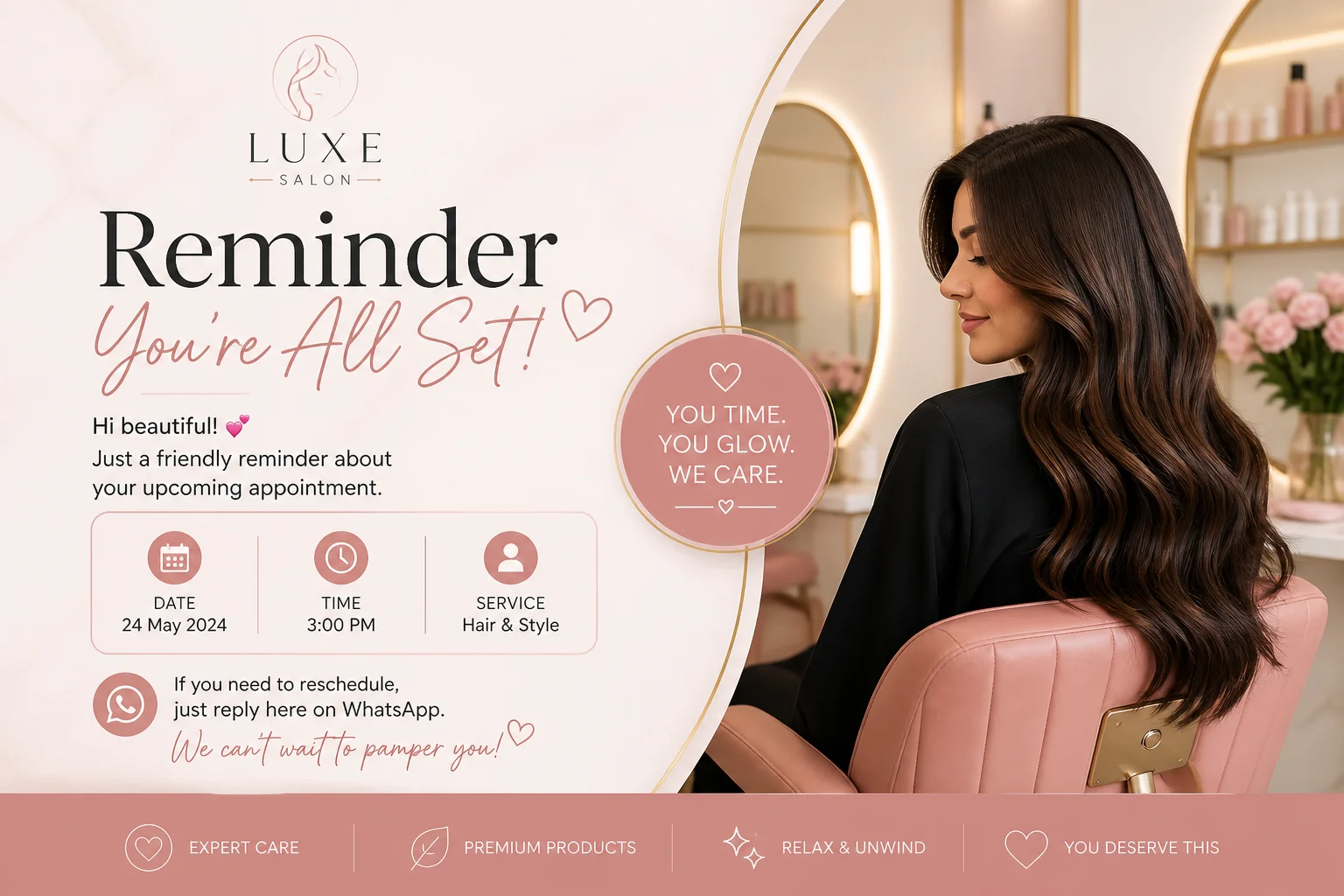

Table of Contents
- Introduction
- Why do salons and clinics still lose money to no-shows?
- What is WhatsApp appointment reminder automation for small businesses?
- How do Calendly and Google Calendar trigger WhatsApp booking reminders?
- Which WhatsApp utility templates work for confirm, reschedule, and cancel?
- How does n8n orchestrate reminder flows with Claude drafts?
- Why should booking bots store BSUID as the primary contact key?
- What reminder cadence cuts no-shows: 24 hours and 2 hours?
- How do two-way confirm and reschedule flows reduce silent no-shows?
- What should small teams do daily and weekly to run booking automation?
- When should you book a roadmap call for WhatsApp reminder rollout?
- Frequently Asked Questions (FAQs)
Introduction
Your stylist blocks two hours for a color appointment. The client never shows. The chair sits empty. You paid rent on that slot. For clinics, a missed consultation wastes a nurse, a room, and a slot someone on the waitlist needed. Home service teams drive to an address and find nobody home.
Most appointment businesses still fight no-shows with manual texts, phone tag, or a single email the day before. Clients live in WhatsApp. They read messages within minutes. They rarely answer unknown numbers. The gap is not the channel - it is the system: calendar events that never trigger reminders, templates nobody approved, and contact records keyed only on phone numbers that Meta may hide behind usernames in 2026.
This post explains WhatsApp appointment reminder automation for salons, clinics, and home services: connect Calendly or Google Calendar to n8n, send Utility-category templates for confirm and reschedule, use Claude to draft copy before Meta approval, and store BSUID as the durable contact key so your booking bot small business stack survives when E.164 disappears from webhooks.
If you are deciding where this fits in your automation backlog, start with What Should You Automate First for Revenue?. Appointment reminders usually score high on impact and moderate on effort once your booking source is clean.
Why do salons and clinics still lose money to no-shows?
No-shows cost 15-30% of booked slots in many salons and clinics because clients forget, rescheduling feels like work, and one-way SMS or email reminders get ignored.
The math is blunt. A four-chair salon with 20% no-shows on 80 daily appointments loses 16 visits. At $60 average ticket, that is nearly $1,000 per day in missed revenue - before you count product waste, staff idle time, and the client who would have taken that slot from your waitlist. Clinics face the same pattern with higher stakes: underused provider time, delayed care access, and staff chasing confirmations instead of treating patients.
WhatsApp changes the economics because open rates routinely exceed 95% within an hour for businesses clients already message. Platforms reporting on healthcare and beauty flows cite 35-60% relative reductions in no-shows when teams move from SMS-only or email-only reminders to interactive WhatsApp sequences with confirm and reschedule paths.
The win is not "send more messages." It is designing a flow where confirming takes one tap, rescheduling opens your calendar instead of a phone queue, and cancellations free the slot early enough to backfill. That is operational automation - not marketing blast volume.
What is WhatsApp appointment reminder automation for small businesses?
WhatsApp appointment reminder automation connects your booking calendar to the WhatsApp Business API so confirmations and timed reminders send as approved Utility templates, with two-way buttons for confirm, reschedule, and cancel.
For a small salon, clinic, or home service team, the stack has four layers:
- Booking source of truth - Calendly, Google Calendar, Fresha, Jane, or your practice management system.
- Orchestration - n8n (or similar) listens for new or updated appointments, calculates reminder times, and calls WhatsApp APIs.
- Messaging - Meta-approved Utility templates with placeholders for name, service, time, and location.
- Identity - contact records keyed on BSUID (Business-Scoped User ID) with phone as a nullable field.
A booking bot small business layer can sit on top: clients message "book a haircut," pick a service and slot inside WhatsApp, and land in the same calendar and reminder pipeline as web bookings. The bot is the front door; automation is the engine that keeps the schedule honest after the booking exists.
Unlike ad-hoc WhatsApp messages from a personal phone, Business API flows require opt-in, template approval, and category discipline. Utility templates cover transactional updates. Marketing templates need separate consent. Mix promotional copy into a reminder and Meta may reclassify or reject the template - breaking your entire sequence.
How do Calendly and Google Calendar trigger WhatsApp booking reminders?
Calendly and Google Calendar expose webhooks or API events that n8n consumes to schedule WhatsApp Utility templates at booking time, 24 hours before, and 2 hours before the appointment.
The pattern is calendar-as-source-of-truth, WhatsApp-as-communication-layer. You do not rebuild scheduling inside WhatsApp unless you want a full booking bot. You automate what happens after the slot exists.
Calendly path
When a client books, Calendly fires a webhook with invitee name, email, event time, and custom questions (phone, service type, address for home visits). n8n receives the payload, normalizes timezone, writes or updates a Google Calendar event if that is your staff view, and looks up the contact's WhatsApp identity (BSUID or E.164). If opt-in is on file, the workflow queues three sends: immediate confirmation, T-24h reminder with confirm/reschedule buttons, T-2h nudge for non-responders.
Google Calendar path
Teams that book directly on a shared calendar can standardize event descriptions: client name, service code, BSUID or phone in a fixed field. n8n polls the calendar or uses push notifications on event create/update. The same reminder math applies. Updates and cancellations on the calendar should cancel pending reminder jobs - otherwise you confirm a slot that no longer exists.
Two-way sync
When a client taps Reschedule in WhatsApp, the workflow should call back into Calendly or update the calendar event, not just reply in chat. Silent calendar drift is how double-bookings start. For inbound speed on new booking inquiries - before reminders matter - see Why Do Slow WhatsApp Replies Cost You Deals?. Fast first reply and reliable reminders solve different parts of the funnel.
Which WhatsApp utility templates work for confirm, reschedule, and cancel?
Salons and clinics need three core Utility templates: instant booking confirmation, a 24-hour reminder with Confirm and Reschedule buttons, and a short 2-hour nudge for clients who have not replied.
Submit templates through WhatsApp Business Manager or your BSP. Keep clinical copy generic - "consultation" not diagnosis details. Include clinic or salon name, address, and provider first name where helpful.
Template set (starter)
| Template | Timing | Purpose |
|---|---|---|
booking_confirmed |
Immediately after book | Lock the appointment in the client's mind |
reminder_24h |
24 hours before | Confirm, reschedule, or cancel with buttons |
reminder_2h |
2 hours before | Short nudge for silent non-responders |
Example confirmation body (placeholders {{1}} name, {{2}} service, {{3}} date, {{4}} time):
Hi {{1}}, your {{2}} is booked for {{3}} at {{4}}. Tap Confirm or Reschedule below. Reply STOP to opt out of reminders.
The 24-hour template should carry interactive buttons - Confirm, Reschedule, Cancel - not free-text codes alone. Button clicks arrive as structured webhook events your n8n workflow can route without NLP guesswork.
Category discipline
Appointment updates belong in Utility. If you add "20% off your next visit" to the same template, Meta may classify it as Marketing and apply stricter sending rules. Keep upsells in separate Marketing templates with proper opt-in.
Claude for drafting, humans for approval
Template text is fixed after Meta approval. Use Claude to draft five tone variants ("warm salon," "clinical neutral," "home service friendly"), pick one, have staff edit, then submit. Do not let an LLM send unreviewed Utility copy in production - category mistakes are expensive to unwind.
How does n8n orchestrate reminder flows with Claude drafts?
n8n listens to calendar webhooks, computes reminder timestamps, checks opt-in and BSUID, sends WhatsApp template payloads, and optionally calls Claude to draft template variants or handle open-ended replies inside the 24-hour session window.
A production workflow typically branches like this:
- Trigger - Calendly
invitee.createdor Google Calendar event created. - Normalize - map fields, fix timezone, dedupe by event ID.
- Identity - lookup contact by BSUID first, phone second; create record if missing.
- Opt-in gate - skip business-initiated sends if no WhatsApp consent.
- Schedule - queue confirmation now; schedule T-24h and T-2h jobs (n8n Wait nodes or a job table).
- Send - POST to WhatsApp Cloud API or BSP with approved template name and components.
- Inbound - webhook for button replies; update calendar status; cancel downstream reminders on cancel.
For open questions inside the customer service window ("Can I bring my child to the appointment?"), route inbound text to Claude with your policy doc, return a draft to a staff approval queue, then send. That hybrid keeps sensitive clinic answers human-gated while FAQ-style replies stay fast.
Idempotency matters
Webhook retries duplicate events. Store event_id and template_job_type before sending. A client should not get four confirmation messages because Calendly resent the payload.
Why should booking bots store BSUID as the primary contact key?
BSUID is the stable WhatsApp identity for each client-business relationship; when users hide phone numbers behind usernames, reminders still reach the right thread only if your CRM and booking bot key on BSUID, not E.164 alone.
Meta's 2026 username rollout means inbound conversations may arrive with BSUID and username only - no phone in the webhook. If your appointment record stores +14155551234 as the primary key and that field goes empty, tomorrow's reminder job targets nothing.
Design contacts like this:
- Primary key: internal
contact_id - WhatsApp routing:
bsuid(required once they have messaged you) - Phone: nullable, verified when collected
- Opt-in flags: separate for Utility vs Marketing
When a client books on your website with phone and later messages you on WhatsApp, merge BSUID onto the same contact_id. When they book only via WhatsApp username, you still run the full reminder sequence.
For CRM migration detail, read Do WhatsApp Usernames Break Phone-Number CRM Keys?. For collecting phone when a flow still needs E.164 (billing, OTP), see How Does REQUEST_CONTACT_INFO Fix OTP Flows?.
What reminder cadence cuts no-shows: 24 hours and 2 hours?
A 24-hour reminder with confirm/reschedule buttons plus a 2-hour nudge for non-responders typically cuts no-shows 35-50% versus a single confirmation message alone.
The day-before message is the workhorse. Clients whose plans changed get enough runway to reschedule without leaving you an empty chair. The two-hour reminder catches short-notice bookings and anyone who ignored the first ping. It should be short - time, location, provider name - not a repeat of the full paragraph.
Cadence by service type
| Service profile | Suggested sequence |
|---|---|
| Routine salon visit | Confirm + 24h |
| High-value clinic consult | Confirm + 48h + 24h + 2h |
| Home installation (travel cost) | Confirm + 72h + 24h + 2h |
| Same-day booking | Confirm + 2h only |
Track baseline no-show rate for four weeks before automation, then weekly after. If reschedule taps climb but no-shows stay flat, your calendar backfill process is the bottleneck - not the reminders.
How do two-way confirm and reschedule flows reduce silent no-shows?
Two-way flows turn reminders into one-tap decisions: Confirm writes status to your calendar, Reschedule opens slot picker or human handoff, Cancel frees the chair early for waitlist backfill.
Silent no-shows are worse than loud cancellations. A client who taps Cancel at 10am for a 2pm slot gives you four hours to fill it. A client who ghosts wastes the full block.
Button-driven flows outperform "reply 1 to confirm" text because mobile users tap faster than they type. Your n8n inbound branch should:
- Parse
buttonpayload or quick-reply ID. - Update appointment status in calendar/PM system.
- Cancel pending T-2h job if they confirmed on T-24h.
- On reschedule, offer Calendly link, inline slot list, or route to reception with thread context.
- On cancel, trigger waitlist notification workflow if you maintain one.
For complex requests ("only with Sarah," "need wheelchair access"), escalate to a human with the full WhatsApp thread attached. The automation still saved you from manually sending the initial reminder sequence.
What should small teams do daily and weekly to run booking automation?
Daily: monitor failed sends, unconfirmed tomorrow appointments, and inbound reschedule requests. Weekly: review no-show rate, template delivery errors, and opt-out volume.
Automation without ops hygiene drifts. Salons and clinics with two to ten staff cannot afford silent template failures the day before a holiday rush.
Daily checklist (10-15 minutes)
- Open n8n execution log or BSP dashboard: any failed template sends in the last 24 hours?
- Pull tomorrow's schedule: which appointments are still
unconfirmedafter the 24h reminder? - Assign a human to call or message high-value unconfirmed slots (surgery consults, multi-hour installs).
- Process inbound Reschedule and Cancel button events stuck in a manual queue.
- Verify new bookings from yesterday have BSUID or phone plus opt-in on the contact record.
Weekly checklist (30 minutes)
- Calculate no-show rate and confirmation rate for the week vs prior baseline.
- Review template quality scores or BSP rejection notices; queue Claude-drafted revisions if copy underperforms.
- Audit calendar sync: any WhatsApp reschedules that did not update Google Calendar or Calendly?
- Check opt-out list: honor STOP immediately; confirm workflows skip those contacts.
- Spot-check three random threads: does reminder tone match brand? Any PHI or overly specific medical detail in clinic messages?
30-day rollout phases
| Week | Focus |
|---|---|
| 1 | Connect calendar webhooks; send confirmation only; fix identity schema |
| 2 | Add 24h template; pilot one service line or one provider |
| 3 | Add 2h nudge; enable button handlers and calendar write-back |
| 4 | Expand to all services; measure no-show delta; tune cadence |
When should you book a roadmap call for WhatsApp reminder rollout?
Book a roadmap call when you run multiple locations, mixed booking tools, or BSUID migration on a live CRM and need a phased plan before you touch production templates.
DIY works when one calendar, one WhatsApp number, and a single n8n instance cover your operation. Call for help when:
- Calendly, Google Calendar, and a legacy PM system disagree on source of truth
- Username/BSUID migration risks duplicate patient or client records
- Clinic compliance requires documented opt-in and PHI-safe template review
- You want a booking bot plus reminders in one architecture, not two vendors
On a 45-minute AI automation roadmap call, we map your booking stack, template set, reminder cadence, identity model, and the first 30 days of metrics to watch. You leave with a prioritized build order - not a generic "use WhatsApp" slide deck.
Frequently asked questions
Quick answers on the topics covered in this article.
It sends timed Utility templates clients actually read, with one-tap confirm and reschedule buttons tied to your calendar. Interactive 24-hour and 2-hour sequences typically cut no-shows 35-50% versus a single SMS or email confirmation.
Connect your calendar (Calendly or Google Calendar) to n8n, use approved Utility templates for confirm/reschedule/cancel, store BSUID as the primary WhatsApp key, and optionally add a WhatsApp booking bot that writes into the same calendar and reminder pipeline.
Yes. Calendly webhooks into n8n (or Make/Zapier) can trigger WhatsApp Business API template sends. You still need Meta-approved templates and opt-in, but you do not need a full engineering team for a basic confirm-plus-reminder flow.
Use Utility for confirmations, schedule changes, and transactional reminders. Avoid promotional language in the same template or Meta may reclassify it as Marketing, which requires separate opt-in and stricter sending rules.
Most salons and clinics start with an immediate confirmation, a detailed 24-hour reminder with buttons, and a short 2-hour nudge for non-responders. High-value or travel-heavy appointments may add a 48- or 72-hour message.
Map Reschedule button clicks to a workflow that offers new slots via Calendly link, inline availability, or human handoff. Always write the chosen time back to your calendar so staff and reminders stay aligned.
When clients use WhatsApp usernames and hide phone numbers, webhooks may include BSUID only. Reminder jobs keyed on phone alone fail silently. Store BSUID on first contact and route all outbound WhatsApp through it.
Claude can draft template copy and tone variants before you submit to Meta for approval. It should not send unreviewed Utility messages in production, and it cannot change approved template text without resubmission.
Yes. Capture WhatsApp consent at booking or intake, explain appointment-related messages, and honor STOP or opt-out immediately in your automation workflows.
A focused small team can reach production in two to four weeks: week one for calendar webhooks and confirmations, week two for 24-hour templates on a pilot service, weeks three and four for 2-hour nudges, button handlers, and full rollout with metrics.
Share this article
Related workflows
Daily Validated Business Ideas using n8n and Upwork
Deep Research using n8n automation to generate report using Tavily